Today
Schoology, sorted.
Dewey puts everything that's due on one list, shows your grade to the decimal, and saves your classes before the term takes them away.
Version 1.13.0 · no account · no password
Date due
5 left
Tap a row to mark it done.
370Education
One list, every class, the real due time.
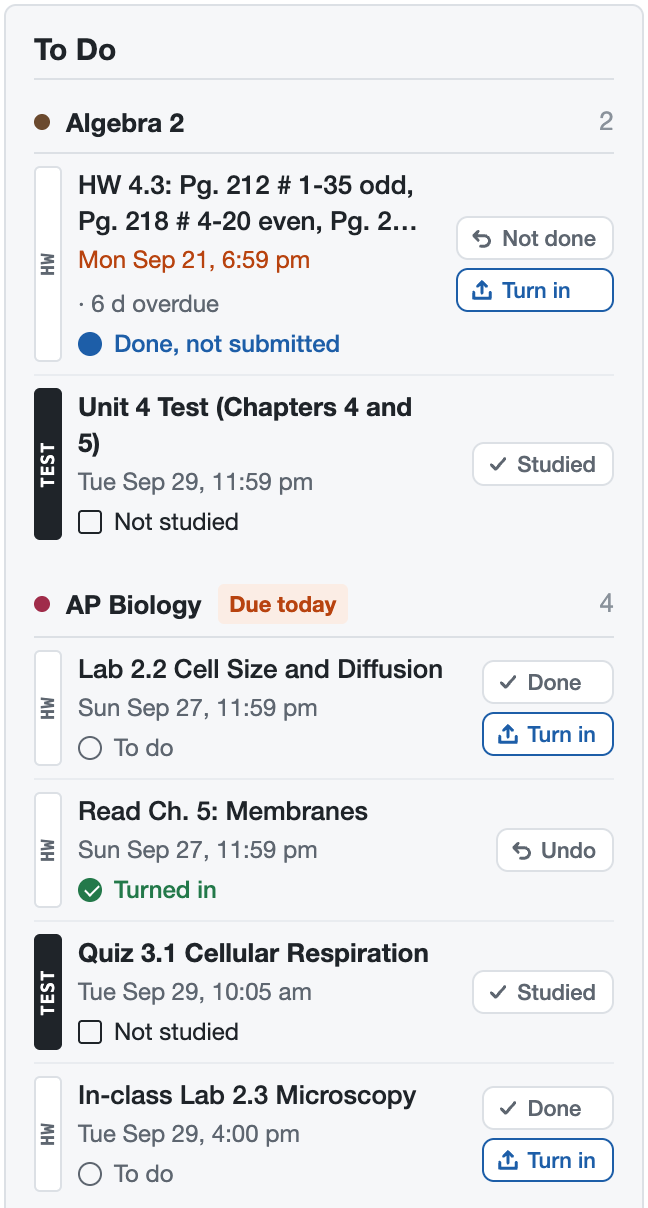
Schoology spreads your work across every course page, each with its own idea of what's due. Dewey puts all of it in one column on Schoology's home page, grouped by class, with what's late in red and what's due today on top.
Mark things Done as you go, and Turned in for the paper you handed in, so "not submitted" stops meaning "missing".
510Mathematics
“What if I get a 38 on the test?”
Schoology tells you a letter. Dewey tells you the number, how far you are above the line, and what one score will do to it. Drag the slider.
Made-up class. The math is the same weighted average your gradebook uses.
AP Biology
Semester 1
A91.8
- Tests & Quizzes 50%88.0%
- Labs 30%94.0%
- Homework 20%98.0%
−1.5 from today. You need 29/50 to keep your A.
020Library science
Keep your classes after the term ends.
When a term closes, the course can go with it: the slides, the study guides, the essays you turned in. Dewey saves a whole class in one click, to a folder on your computer that you own.
Slides and handouts, Google Docs as PDFs, your own submissions, grades and announcements. Next year it's all still there to study from.
- Unit 1 slides.pdf
- Stoichiometry notes (Google Doc).pdf
- Your lab report, turned in.docx
- Grades.csv
- Announcements.html
340Law
What Dewey won't do.
- Change anything on Schoology. It reads. Submitting happens on Schoology's own page, with Schoology's own button.
- Touch your tests. It never opens or starts a quiz, and goes completely quiet while you have one open.
- Ask for your password. It uses the Schoology login you already have.
- Send your stuff anywhere. No analytics, no account, no server of ours. Saved classes are plain files in a folder you pick.
- Get in the way. One switch in Schoology's corner hides all of it. Alt+Shift+K stops a save mid-run.
The details are in the privacy policy, written in plain English.
004Computers
Get Dewey.
About two minutes, no coding. Dewey isn't in the Chrome Web Store yet, so it installs from a folder.
-
Download and unzip
dewey-extension.zip (version 1.13.0). Unzip it and move the
dewey-extensionfolder somewhere it can stay, like Documents. Delete the folder and Chrome removes Dewey. -
Load it into Chrome
Go to
chrome://extensions, turn on Developer mode (top right), click Load unpacked and pick the folder. Pin Dewey from the puzzle-piece menu. -
Open Schoology
Dewey's Welcome card takes it from there, including where to save your classes.
Chrome may show a “Disable developer mode extensions” bubble. That's normal for anything installed from a folder; close it.
Updating to a new version
Download the new ZIP, replace the old dewey-extension folder with it (same place, same name), click ↻ on Dewey in chrome://extensions, then refresh Schoology. Your settings and saved classes stay.
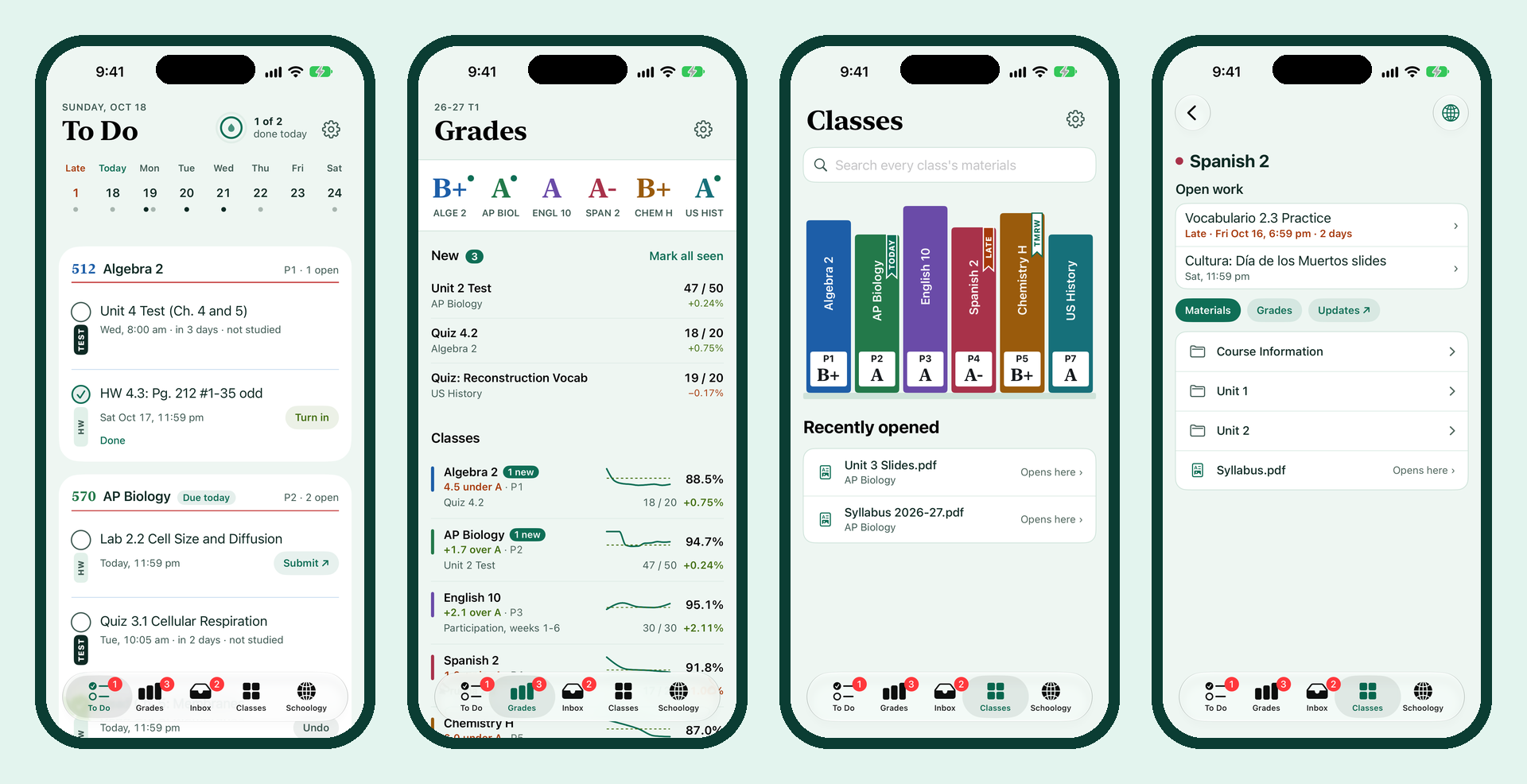
To Do with a week strip, grades with what-if scores, your classes as a shelf of books, reminders and widgets. In beta.
-
Download the APK
On your phone, tap the button below. Android 8.0 or newer.
-
Open it
Android asks to allow installs from your browser the first time. Allow it, install, and sign in with your school's normal Schoology login.
Everything the Android app does, built natively for iPhone. It's in testing and not in the App Store yet.
Coming soon
030Reference
Questions.
Is it really free?
Yes. No ads, no paid tier, no account.
Can my teacher see that I use it?
Dewey only reads pages you can already see, and changes nothing on Schoology, so there's nothing new for anyone to see. It shows you your own information, laid out better.
Will it work with my school's Schoology?
Dewey is built and tested on one school's Schoology. Other schools use the same pages, so it should work; if something looks off at yours, it's a bug, not you.
Why isn't it in the Chrome Web Store?
Not yet. Until it is, it installs from a folder, which is why Chrome asks for Developer mode. It's the same extension either way.
Is this cheating?
No. It shows your own assignments and grades, and saves class material you already have access to. It never opens a test, and it switches itself off while one is open.